

What You Need To Know About Filling Your Cyber Insurance Application or Renewal?
Over the years, we have learned that the cyber security application renewal process has changed significantly. This shift is primarily due to cyber insurance companies’ desire to manage risks more effectively by transferring them to clients, especially given the numerous payouts they have had to make for incidents like ransomware attacks. We want to clarify what you need to qualify for a new insurance application successfully. What initially began as a simple 1–2-page document has evolved into a comprehensive 7-page application, and here is why: The security measures now required are much more stringent. Not only must you implement these measures, but you must also provide proof of your compliance. The insurers also provide specific details about what they require.
Below is an overview of the security measures that cyber insurance companies are requiring businesses to have when they purchase coverage. This is not an exhausted list, but the key components of your security measure.
1. Two-Factor Authentication: A First Line of Defense
The emphasis on two-factor authentication (2FA) was prominent in this year’s application. The query wasn’t just procedural; it was a clear signal of the shifting paradigms in network security. The digital corridors through which we traverse daily, facilitated by VPNs and RDPs, are not just conduits for productivity but potential gateways for adversaries. The mandate for 2FA, particularly for remote access, is not merely a suggestion but a necessity, underscoring the reality that our digital credentials now form the boundary walls of our cyber fortresses.
Conditional access has become my credo, ensuring access controls adapt to the context of each login attempt. Administrative roles are tightly secured with 2FA mandates, while a more nuanced approach is applied to regular users wildly when their login behavior deviates from the norm.
2. Email Security: Beyond the Inbox
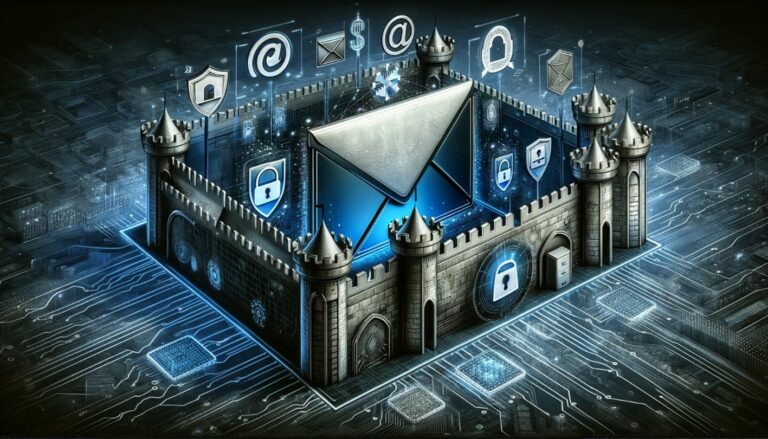
- The inquiry about email security protocols in the application was particularly telling.
The subtext was clear: Are we doing enough to fortify our electronic communications against intrusion?
- Adopting modern authentication methods and integrating 2FA (two-step authentication) or
- MFA for email access is not just a best practice but an essential strategy in the ever-intensifying battle against cyber threats.
- Email Authentication – DMARC, DKIM and SPF
3. The Email Filter Test: Sifting Through the Digital Deluge
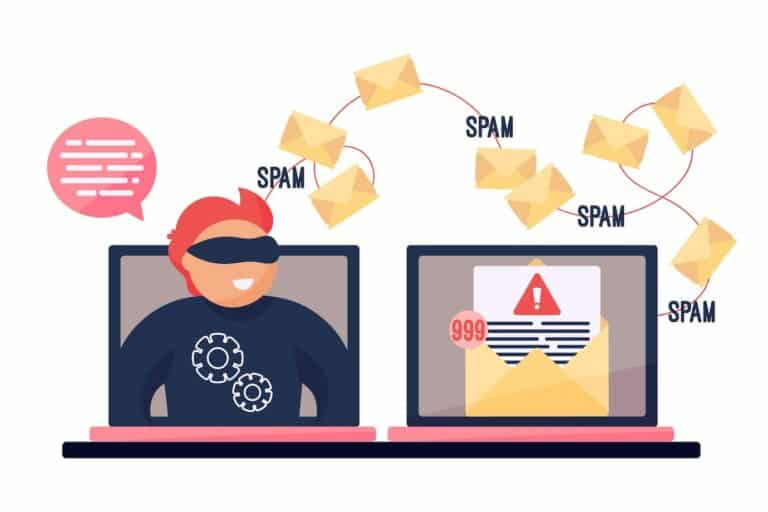
The application’s focus on email filtering solutions underscored these systems’ frontline role in our cybersecurity defenses. Phishing and ransomware often masquerade within the innocuous guise of an email, making robust filtering systems useful and indispensable. These systems’ adaptive learning capabilities, which evolve in response to emerging threats, are crucial in maintaining the sanctity of our digital domain.
4. The Vanguard of Defense: Endpoint Detection and Response (EDR)
Endpoint Detection and Response (EDR) is next-gen antivirus and anti-malware software, an essential security tool to protect your Windows PC or MacOS computer. It helps to check for malicious behavior and blocks users from taking action if there is a known issue. For example, if known software such as Chrome is missing critical updates, the EDR software will notify your IT staff and may block the user from running the software until it is updated. Once perceived as out of reach for smaller businesses, EDR software has become more accessible, thanks to offerings like Microsoft Defender for Business, which includes Microsoft 365. These tools are not just luxuries but critical assets, enabling businesses to dissect and understand attack vectors, thereby fortifying their defenses against future incursions.
5. The Backbone of Recovery: Data Backup Solutions

The nuanced questions surrounding data backup solutions highlighted a crucial aspect of cybersecurity: resilience.
The distinction wasn’t just between different backup frequencies or methodologies but the strategic imperative of ensuring that backups are insulated from network threats. A resilient backup strategy is the cornerstone of a swift recovery, a bulwark ensuring that operational continuity can be swiftly restored, even after a cyber onslaught.
6. In Reflection: Aligning with Best Practices
This annual exercise, far from being a mere formality, is a reflective process that compels us to evaluate our cybersecurity posture critically. It’s an opportunity to align our practices with the evolving standards set forth by insurers, ensuring that our defenses are not just compliant but are bastions of best practices in the digital age.
The cyber insurance application is more than a form; it’s a roadmap guiding us toward a more secure and resilient digital future. It beckons us to scrutinize our defenses, adapt, and evolve, ensuring that our fortifications are not just adequate for today but prepared for tomorrow’s challenges.
If you are looking for a guideline for filling out your application or are unsure if your business has the security measures in place, contact us and see how we can help.
Frequently Asked Questions
eSudo is a local managed IT & Cybersecurity services (MSP/MSSP) company in San Jose, CA that helps businesses make technology seamlessly work over the last 22+ years in Silicon Valley. What sets eSudo apart is we focus on security first, and computer support happens to be part of the security services.
Our team of experienced and certified computer engineers understands that no two businesses are alike, that’s why we partner with our clients to develop efficient and cost effective computer networks, cloud solutions, network security, and phone solutions that help you run your business.
As a local Microsoft Partner and Cloud Technology Specialist, eSudo has the knowledge, skills, and commitment to help you implement modern technology solutions that match your exact business needs.
Our goal is to Keep your IT Systems running and data Secure (KISS) so you can focus on running your business safely!
We specialize in working with professional service organizations like law firms, accounting firms (CPAs), and wealth management. However, eSudo have helped other business such as non-profit organizations, manufacturing and other small businesses after we have reviewed their needs and determined if they are good fit for our services.
eSudo is not a traditional computer support company; we focus on security first, and computer support happens to be part of the security services. In the dynamic landscape of network security, a proactive approach is key to safeguarding your business. It’s not a one-time event but an ongoing commitment to keep your systems resilient against evolving threats. With the rise of a mobile workforce and the omnipresence of phishing attempts or social engineering or AI, educating your employees, continuous monitoring and proactive support are vital to prevent data breaches.
If your business is looking for break-fix support or hourly IT services, we may not be for you because we cannot fully manage your risks and more importantly, it creates a trust issue in our relationship. Under a “break-fix” model, there is a fundamental conflict of interest between your business and eSudo.
“Over 97% of American businesses in 2023, operating in a digitally-driven landscape, heavily rely on the Internet for essential functions such as productivity, performance optimization, streamlined communication, bolstered sales, and various other facets of their daily operations. This heightened dependence on digital infrastructure, however, comes with a notable caveat: more than 87% of small businesses are entrusted with customer data that could be potentially compromised in the event of a cyberattack.”
We keep your IT Systems running and data secure with our proven IT Strategy, Managed Security, and Proactive Support & End User Management. Our Strategy focuses on identifying, prioritizing, and recommending the right technology for your organization. Our Managed Security includes data backup, device encryption, zero-trust access management, and policies & procedures. Our Support includes a live phone help desk, 24/7 monitoring, on-site support as needed, employee onboarding, and asset procurement.
Proven track record: We have been building our loyal customer base since 2001 in an industry where IT consulting firms come and go. Our customers, vendors, and employees stay with us because we build and value long term relationships with them. With operations all over the San Francisco Bay Area, eSudo provides reliable IT support to Northern CA-based businesses and beyond. We’re big enough to offer the facilities, services, and expertise you expect and small enough to provide the support and attention you deserve.
People & Process: Over the last 22+ years, we have created and adopted a proven process to ensure success in our operations and have trained our people to follow our proven process to provide consistent results for our customers.
Quality: We do not sell what we have not used or have tested. We recommend industrial and commercial-grade products for small businesses to provide uptime and reliability for our customers.
Responsiveness: A live person will answer your call, and emergency response time is one hour or less guaranteed. We use the most current remote support technology which lets us log in to your computers remotely to address many issues without the need to wait for a technician to come on-site.