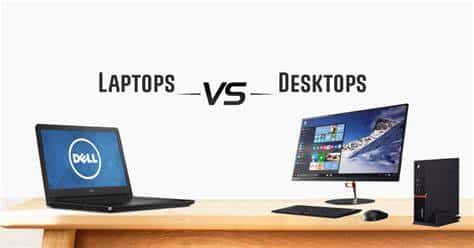
When purchasing computers for your small business, one of the biggest decisions you’ll have to make is whether to get desktops or laptops. The choice ultimately depends on five factors, which we’ve outlined for you below.
Portability
The COVID-19 pandemic has driven most businesses to adopt remote work and hybrid work setups. If you’re thinking of implementing a remote or hybrid work arrangement, investing in laptops is the smart move, as your employees can easily take their laptops with them and work anywhere, anytime.
That said, you must not discount desktops altogether. While laptops are light and portable, modern desktop computers aren’t nearly as immobile as they used to be. In many cases, today’s desktop monitors are thin and light, and all-in-one desktops are easy to move around.
Memory and speed
In the past, desktop computers had more memory than laptops, and they were faster because they had bigger processors. This has now changed, thanks to improvements in laptop technology. But until high-powered business-grade laptops become more affordable, desktop computers are going to provide your business with more memory, speed, and power for your money.
How much speed and memory you need depends on the work you do. If your employees’ work mostly entails word processing and emailing, laptops should be enough. But if they need to run gaming software or edit heavy media files, it would be better to invest in desktops.
Security
A desktop computer is more physically secure because it’s often kept in one location, making it easier to guard. And because a desktop’s internet access is often a single source (whether through Wi-Fi or cable), it’s easier to defend it against malware and cyberattacks.
If you choose to invest in laptops, make sure to put in place strict security policies for devices used by remote workers. Don’t let your staff connect to unsecured networks, and deploy encryption tools to protect data from unauthorized access. You must also employ mobile device management software to enable your IT administrator to wipe laptops of data should they get lost or stolen.
Price
Laptops, especially the smaller notebook-style ones, are a lot cheaper than desktops. However, desktop computers are also becoming more affordable through local channels and flexible payment terms. A capable IT services provider can offer cheaper desktop options so you can get powerful machines without going over budget.
Quality
Although laptop computers provide the convenience of portability, they’re prone to battery and charging cord problems. They are also easily damaged, especially if they are dropped or mishandled. By contrast, desktops are generally sturdier. But when they do experience a problem, repairing them can be expensive.
The desktop versus laptop debate is an old one, with supporters on both sides touting the advantages of their choice. A growing company usually needs a combination of both types of computers, especially as their needs evolve.
If you need help choosing the best computers for your business, or if you have any business IT-related question, give us a call today.